30.10.2022
Create iCal feed
Show your personal Zeitwart appointments in your own calendar
An iCal feed lets you subscribe to your Zeitwart bookings in Apple Calendar, Outlook or Google Calendar. You generate the address yourself under “My profile → Settings”; it cannot be password protected and should not be passed on. The feed is read-only.
Menu path: user menu (⋮ top right) → My profile → Settings
Would you like to see your Zeitwart bookings in your own calendar – on your phone, your tablet, in Outlook? Then set up an iCal feed. Your calendar application will fetch the appointments by itself.
The feed is read-only: you cannot create or change bookings through it.
Before you start
You decide yourself whether to use this. As long as you have not generated a URL, there is no feed of your bookings. Once you have, keep it to yourself and do not pass it on.
Since this link cannot be password protected, anyone who knows the URL could retrieve your appointments.
If you conclude that the URL has fallen into the wrong hands, delete it and generate a new one – the old one stops working.
Activating the feed
Go to My profile → Settings. Right at the bottom, below the other personal settings, you will find the iCal feed section.


If nothing is shown there, the function has to be enabled by an administrator first – ask your administration.
Click Activate iCal feed. Zeitwart generates a random address of the form https://<your-instance>/ical/<token>:

Copy that address. You use it to create a calendar subscription on your device.
Delete iCal feed withdraws it at any time. Existing subscriptions on your devices then stop showing new bookings; you can generate a new URL whenever you like.
Apple Calendar on the Mac
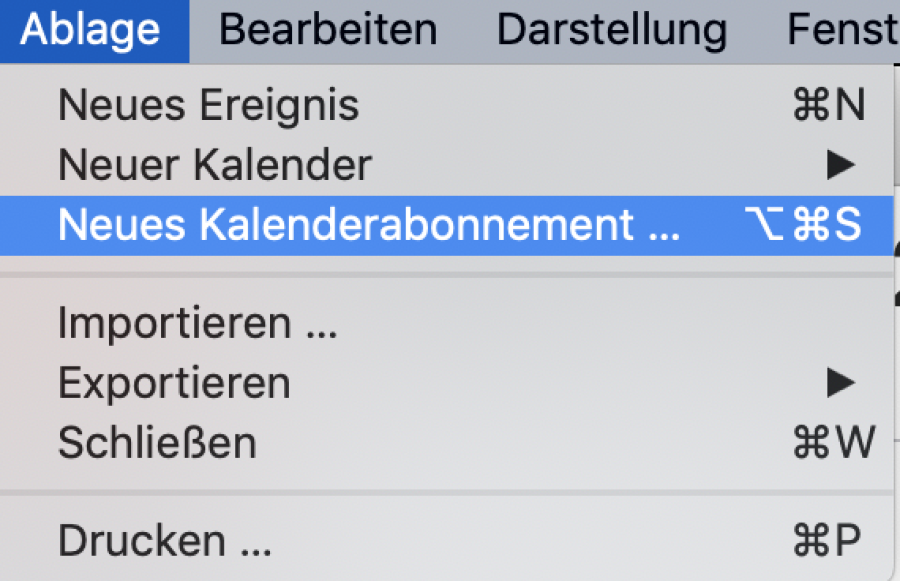
Choose File → New Calendar Subscription …
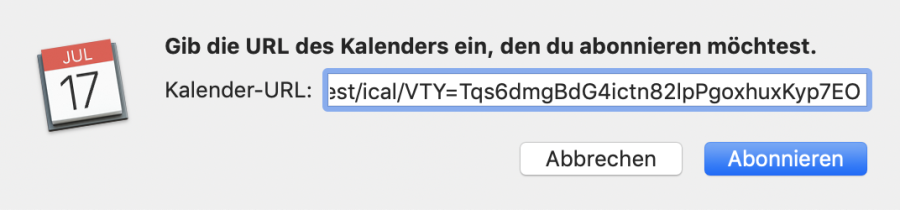
Paste the address you copied:
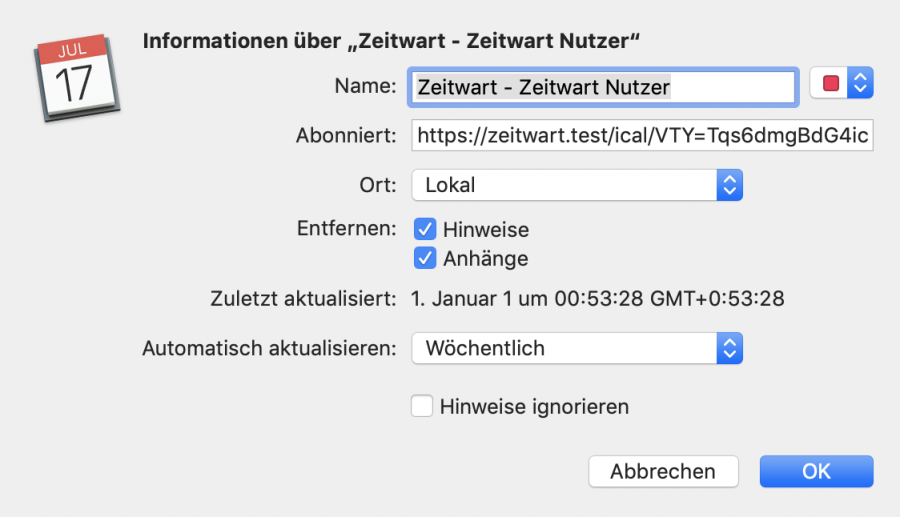
Adjust the settings:
Field | Meaning |
|---|---|
Name | up to you; it appears in the calendar list |
Subscribed to | the URL copied from Zeitwart |
Location | where the calendar lives – locally on the device or in iCloud, GMail, Exchange |
Auto-refresh | how often it updates. Hourly is a good value |
If the calendar sits in iCloud, it appears on your iPhone and iPad automatically – which saves you the next step.
iPhone and iPad
Open the Calendar app.
Tap Calendars at the bottom.
Tap Add Calendar and then Add Subscription Calendar.
Paste the address into the Subscription URL field.
Tap Subscribe.
Outlook
Open the calendar.
Choose Add calendar → Subscribe from web.
Paste the address, give it a name and confirm.
Outlook refreshes subscribed calendars on its own schedule, so a booking you just made may take a while to appear.
Google Calendar
Open Google Calendar on a computer – it cannot be done in the app.
Click the plus next to Other calendars and choose From URL.
Paste the address and click Add calendar.
The calendar then also appears in the Google Calendar app on your phone. Google refreshes subscribed calendars only at long intervals – a delay of up to a day is normal and cannot be influenced.
Android
Android has no subscription function of its own. Take the route through Google Calendar: a feed subscribed there appears on the phone automatically. Alternatively some calendar apps offer their own subscription, where you paste the same address.