

29.11.2025


Book rooms, desks and resources in one place
From the booking to the display at the door: Zeitwart brings rooms, desks, vehicles and equipment together in one place – with the rules, roles and approvals your organisation needs.
See Zeitwart in action
We'll walk you through Zeitwart in a personal demo – no strings attached.
What is Zeitwart?
A two-minute product video, no sign-up.
Solutions for different organisations
Whether university, library or social institution – Zeitwart supports organisations with different requirements in managing rooms and resources.

University
Room and resource booking for campuses, faculties and institutes.
Manage seminar rooms, laboratories, recording studios, study spaces and other resources centrally. Roles, approvals and Microsoft integration ensure smooth processes even at large universities.
more ...

Libraries
Easily organise study spaces, group rooms and events.
From individual workstations and group rooms to event spaces: Zeitwart supports libraries with online booking, check-in, capacity utilisation and transparent management.
more ...

Social institutions
For welfare associations, providers and social organisations.
Manage meeting rooms, vehicles, therapy rooms, workstations and equipment across multiple locations. Roles, permissions and approvals ensure clear processes.
more ...

Small businesses
Meeting rooms and desks without the administrative overhead.
Few rooms, plenty of requests: Zeitwart brings meeting rooms, desks and vehicles together in one place – with nobody maintaining a spreadsheet.
more ...
Large enterprises
Several sites, many roles, clear responsibilities.
Across sites and departments: organisational units, roles and approvals model even nested responsibilities without the administration becoming unmanageable.
more ...
Public institutions
Allocate rooms to citizens, groups and external users.
From council chambers to community rooms: approvals, cost rules and an accessible interface under BITV 2.0 are built in, not bolted on.
more ...
Schools and media centres
Manage equipment, makerspaces and specialist rooms across many schools.
One media centre serves dozens of schools: Zeitwart allocates training rooms, makerspaces and loan equipment – with permissions per school and no training needed.
more ...
Features at a glance
A selection from the full range – from booking through to reporting.
Book rooms and resources
Rooms, desks, vehicles and equipment – everything bookable in one place.
Extensive booking rules
You decide who may book which resource, when and under what conditions.
Interactive 2D and 3D maps
People navigate the building and book free rooms straight from the map.
Room displays and ePaper
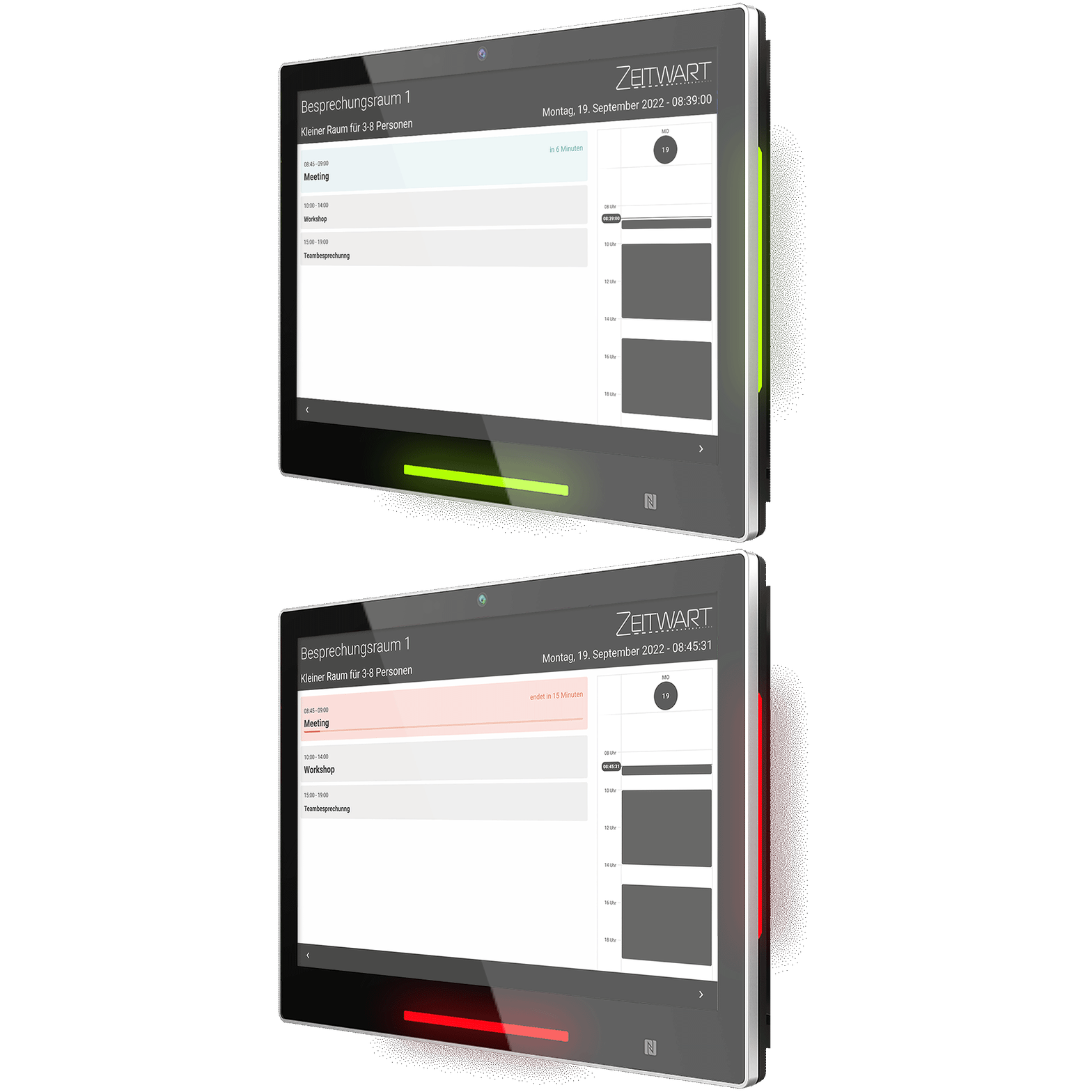
Show occupancy right at the room – on touch displays or low-power ePaper panels.
Check-in
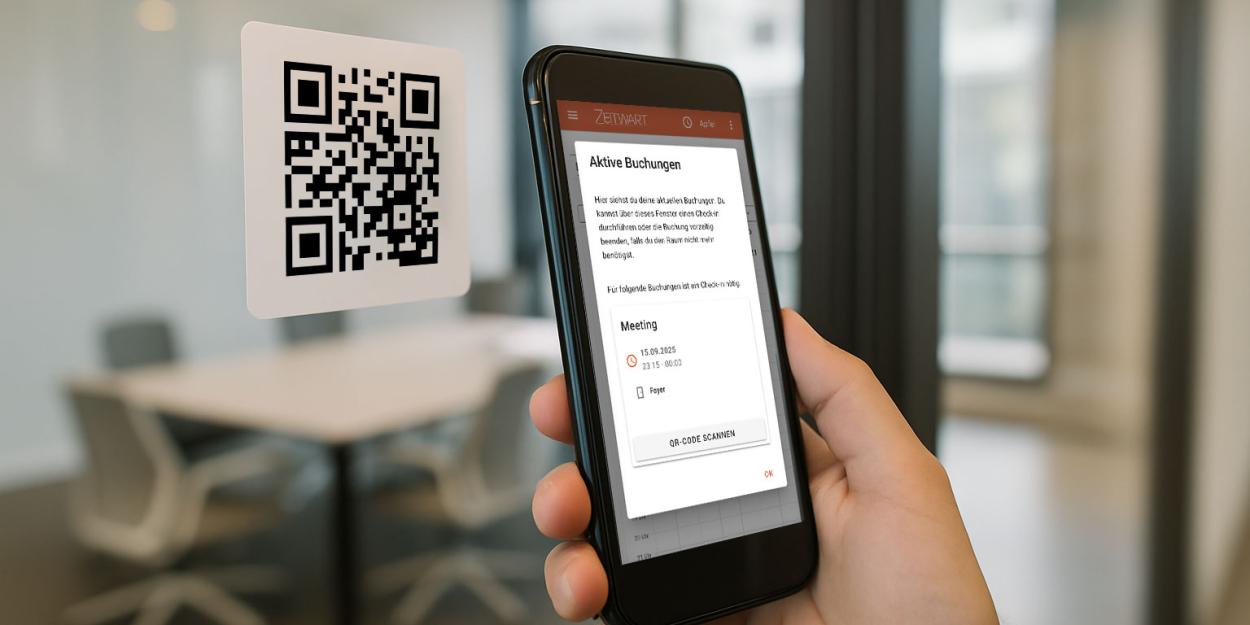
A booked room only counts as occupied if somebody actually turns up – otherwise it is released.
Flexible user login
Sign in with the accounts that already exist – local, Microsoft, Shibboleth or WinBIAP.
Statistics
How much your rooms are really used – by whom, when and how well occupied.
Smart approval procedure
Only special cases reach your desk for approval – everything else runs through by itself.
Microsoft integration
Bookings land in the Microsoft 365 room mailbox – Teams link included.
What our customers say
Universities, public institutions and social service providers on working with Zeitwart.
”
The support from the Zeitwart team was excellent, responding not only quickly to urgent questions and problems
“
Christoph Ackermann
Stellvertretender Leiter der Abteilung Benutzungsdienste
Universitätsbibliothek (UB) Erlangen-Nürnberg
”
All in all, we are extremely satisfied with our experience with Zeitwart. It has significantly simplified and optimised our booking process and we can recommend it without reservation.
“

Marcel Röhrig
Digitalisierung, IT und eGovernment
Main-Kinzig-Kreis
”
The cooperation with the Zeitwart team is an absolute added value. They took our requirements on board and even made specific adjustments for us. This enabled us to achieve a customised and suitably coordinated result.
“

Marcel Auf der Masch
IT department
HHO Verwaltungs GmbH
What are you looking for?
Frequently asked questions
Zeitwart is licensed by license points rather than by headcount: rooms, desks and API resources each cost a certain number of points, and desks count as only a quarter point. Every package has the same feature set; individual features such as Wayfinding & maps are licensed separately and cost additional points. The pricing page has a calculator for working out what you need.
In a data centre in Germany, GDPR-compliant and protected by modern encryption. The databases are backed up regularly and automatically; configurable deletion periods let a nightly run remove anything older than you allow.
Yes. Zeitwart supports Microsoft Entra ID, Shibboleth through SAML2, OAuth2, WinBIAP and local accounts – several of them at once. Each identity provider appears as its own sign-in button and passwords stay in your own system. Roles can be derived automatically from the attributes of the sign-in.
No. Zeitwart runs as a web application in any browser and there is no app to install. Room displays are optional: touch displays for booking on the spot and wireless ePaper panels for rooms without power or network. Existing screens can carry on being used as read-only displays with an HDMI stick.
Zeitwart is designed to be accessible from the ground up and includes a high-contrast mode that visitors can reach without signing in. For the accessibility statement required under BITV 2.0 it holds every mandatory detail as a setting of its own.
Bookings are made intuitively through calendar, map or tile views – on the web, on a mobile device or directly at the display. Touch-enabled room displays with LED status indicators and optional RFID sign-in show the current occupancy on site. ePaper displays complete the setup in places without power or network connections.
A differentiated model of roles and permissions keeps responsibilities clear, even with many thousands of users. Extensive booking rules allow individual releases, restrictions and approval processes – right through to a mandatory check-in that prevents no-shows.
Try Zeitwart yourself
Our open demo instance lets you click through Zeitwart without signing up. The credentials are in the documentation.
Latest from the Zeitwart blog


Are you interested in Zeitwart?
Would you like to get to know Zeitwart without obligation or do you have any further questions?
Write to us! We'll get back to you shortly and take care of your request
